 Slap Alert
Stripe doesn't play a sound on your computer. The web Dashboard is silent, and the Stripe Dashboard app for iPhone and Android sends push notifications for new payments using your phone's normal notification sound. To hear every Stripe payment on a Mac, you need something watching your account, like a webhook-fed tab or a menu-bar app.
This page covers what Stripe gives you out of the box, the three real ways to get a sound on your computer (including free ones), and the one we built. Competitor prices were checked on October 26, 2026. Prices change, so follow the links before you buy.
Does Stripe have a payment notification sound?
On your phone, sort of. On your computer, no. Stripe doesn't document any sound in the web Dashboard: a new payment shows up in your payments list, and nothing plays.
The Stripe Dashboard app for iOS and Android can push notifications for new payments, new customers, disputed payments, deposited transfers and a daily summary. You allow notifications for Stripe in your phone's settings, and the alert uses your phone's notification sound. The app only shows live-mode data, so test payments won't ping you.
Stripe can also email you about successful payments. That works, but it lands in your inbox with everything else. Our sale notifications comparison has the exact settings for both.
| Stripe surface | Sound on your Mac? | Where it lands |
|---|---|---|
| Web Dashboard | No (none documented) | The payments list, next time you look |
| Stripe Dashboard app (iOS/Android) | No, it's on your phone | A push notification with your phone's notification sound |
| No | Your inbox |
Can you change the Stripe notification sound?
Not from inside Stripe. The phone app uses your phone's notification sound, and Stripe doesn't document a setting to pick a different one. What your phone's own settings allow depends on your phone and its OS version, so check there.
On a Mac, the question changes. Stripe isn't making the sound at all, so the sound comes from whatever is watching your Stripe account for you. Pick the watcher, and you pick the sound.
Three ways to hear Stripe payments on a computer
A browser tab fed by a webhook
ChaChing Alerts is the best-known example. You add a Stripe webhook that points at their service, then keep their page open in a browser tab. Each successful payment plays a sound in that tab. You can choose the sound and set its volume, connect up to 10 Stripe accounts, and send alerts to Slack and Discord too. It doesn't need a Stripe API key.
It costs US$4.49 a month. The free trial needs no card and ends 48 hours after your first live payment or 30 days after signup, whichever comes first (checked October 26, 2026). The trade-off is the tab: it only plays while that tab is open.
Build it yourself
If you're a developer, Stripe will tell your own server about each payment. Set up a webhook endpoint, listen for charge.succeeded, and do whatever you like when it fires: play a file, post to a chat or push to your phone. There are also small open-source scripts for this on GitHub, like stripe-play-ka-ching-sound. The cost is your time, plus somewhere to keep the endpoint running.
For a free route with no server of your own, our sale notifications comparison walks through sending a Stripe webhook to ntfy, which can alert your phone, browser or desktop.
If you'd like the result to be a note slapped on your Mac screen, Slap Alert's JSON inbox is free. Any script on your Mac that writes a small JSON file into ~/Library/Application Support/Slap Alert/Inbox/ makes the monkey slap a note, and the app deletes the file after. It needs no licence, and it keeps working after the 7-day trial ends. The same comparison post shows the file format.
A Mac menu-bar app
The third option is a native app that reads your Stripe account itself. There's no tab to keep open and no endpoint to host. You paste a read-only key once and the app does the watching. There are a few of these. CashNotify, for example, runs on Mac and Windows and checks every minute, with a free plan, Essential at US$19 one-time and Pro at US$44 (checked October 26, 2026). The rest of this page is about the one we make.
Get a sound and a note for every Stripe sale with Slap Alert
Slap Alert is ours, so weigh this section accordingly. It's a Mac menu-bar app with no Dock icon. A pixel-art monkey hangs from a vine in the top-right corner of your screen. When a Stripe payment comes in, he swings down and slaps a sticky note on screen with who paid and how much.
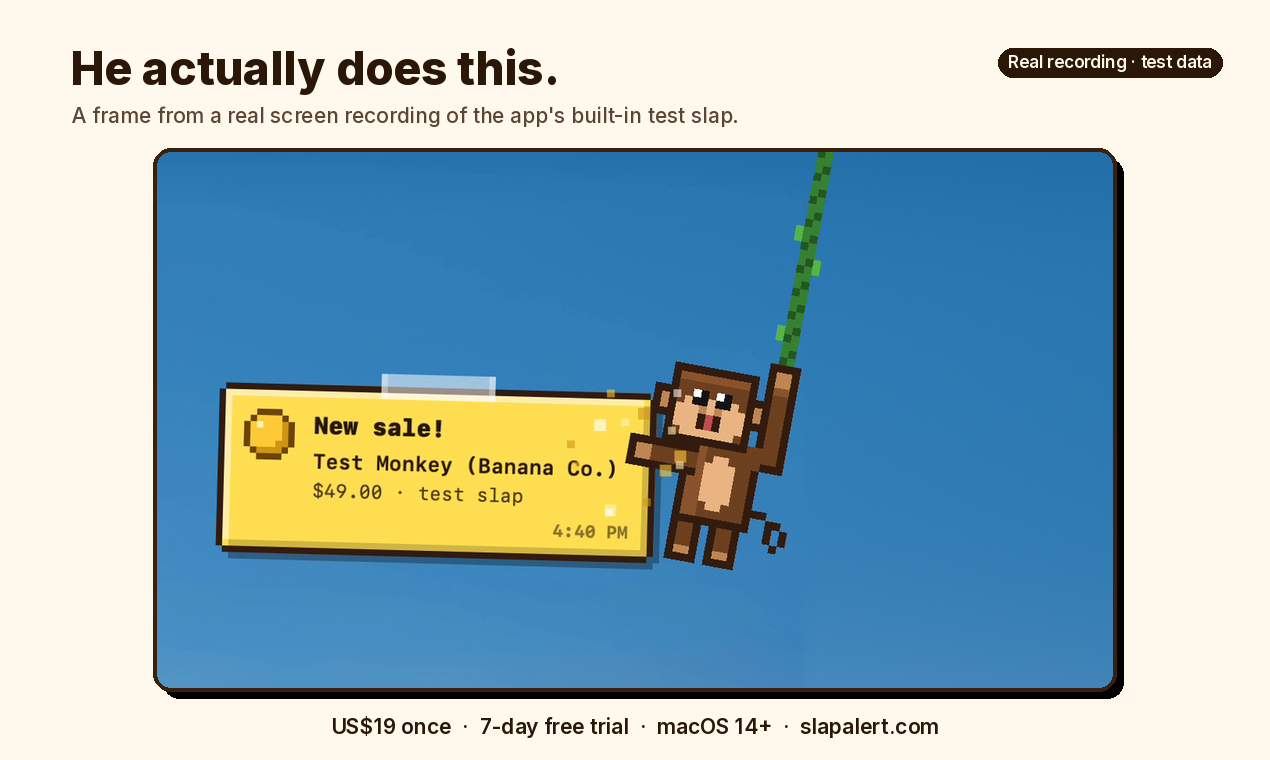
A frame from a real screen recording of the app's built-in test note. This is test data, not a real sale or a Stripe test-mode payment. Watch the 6-second demo with sound.
The note floats over your windows, shows on every Space and over full-screen apps, and never takes focus, so it won't interrupt your typing. It stays until you click it, so a sale that lands while you're making coffee is still there when you get back.
The sound. There are three settings, under Sound in the monkey's menu:
- Slap (the default): a sharp crack and a low thump, synthesized by the app, in four slightly different takes picked at random.
- Pop: macOS's built-in Pop sound, if you want something softer.
- Off: silent. You still get the note.
Picking a sound plays it so you can hear what you chose, and from then on it plays the moment the note lands. There's no volume control in the app. It plays at a fixed level relative to your Mac's volume, so to make it quieter, turn down the Mac or choose Off. There's no cha-ching and no custom sounds.
Timing. Slap Alert checks Stripe every 30 seconds, so a payment can take up to about half a minute to arrive. Only payments made after you connect get a slap, so it won't replay your history.
What the note says. A one-time payment is a yellow sale note. A subscription's first payment reads "New subscriber!", and a renewal reads "Renewal!" on a blue note. A test-mode payment is a grey note stamped TEST. Refunds and failed payments get a quiet grey-blue note. A Stripe free trial with no charge doesn't slap, and there are no cancellation alerts.
Set it up in two minutes
- Download Slap Alert from slapalert.com and open it. The 7-day free trial starts on first launch.
- In Stripe, create a restricted key with Charges: Read and Invoices: Read. Add Subscriptions: Read if you want MRR and ARR.
- Paste the key into Connect Sales… in the monkey's menu.
- Make a payment in Stripe test mode and watch for the grey TEST note.
The Stripe setup guide has the full steps.
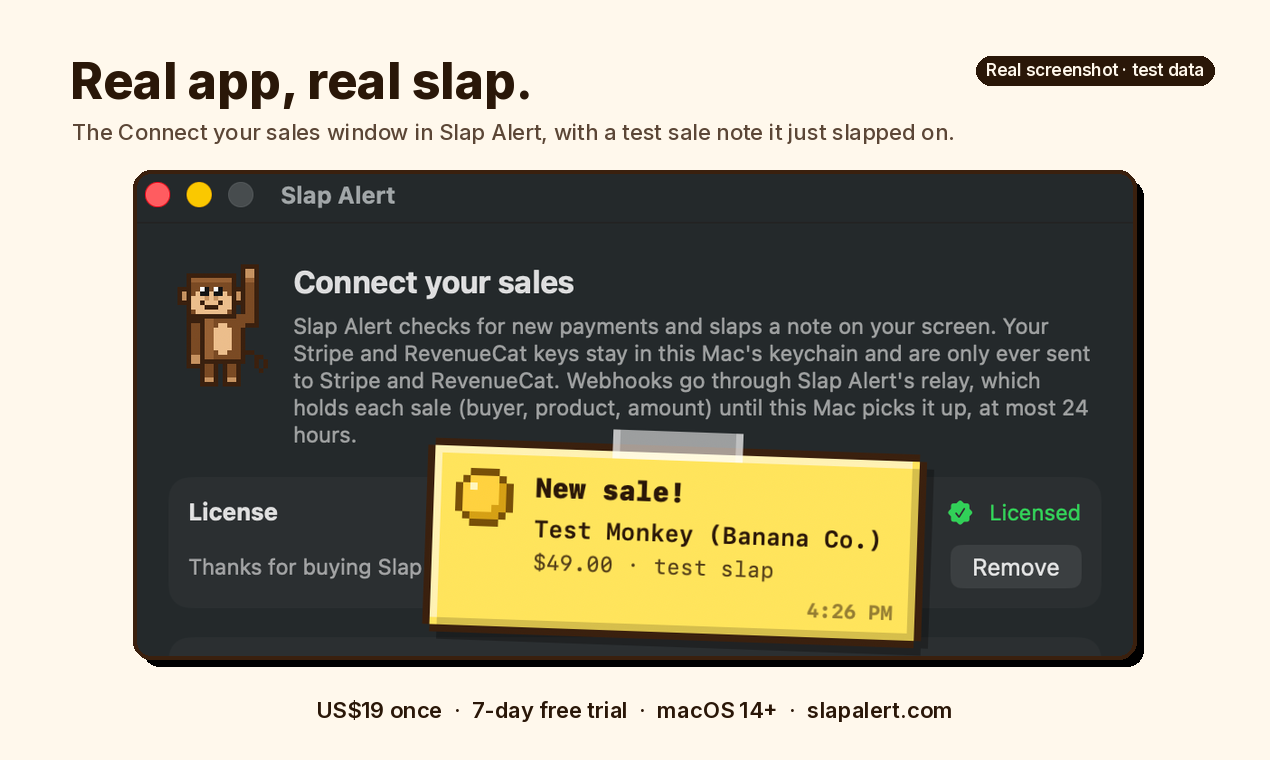
A real screenshot of the Connect your sales window with the app's built-in test note on top. Test data, not a real sale.
Is it safe to give an app my Stripe key?
Use a restricted, read-only key. A restricted key with only read permissions can't move money. Slap Alert refuses full sk_ secret keys outright. Your key stays in your Mac's login keychain and is only ever sent to Stripe. There's more detail on the Stripe page's security section.
More than a sound
If you connect Stripe anyway, a few extras come with it:
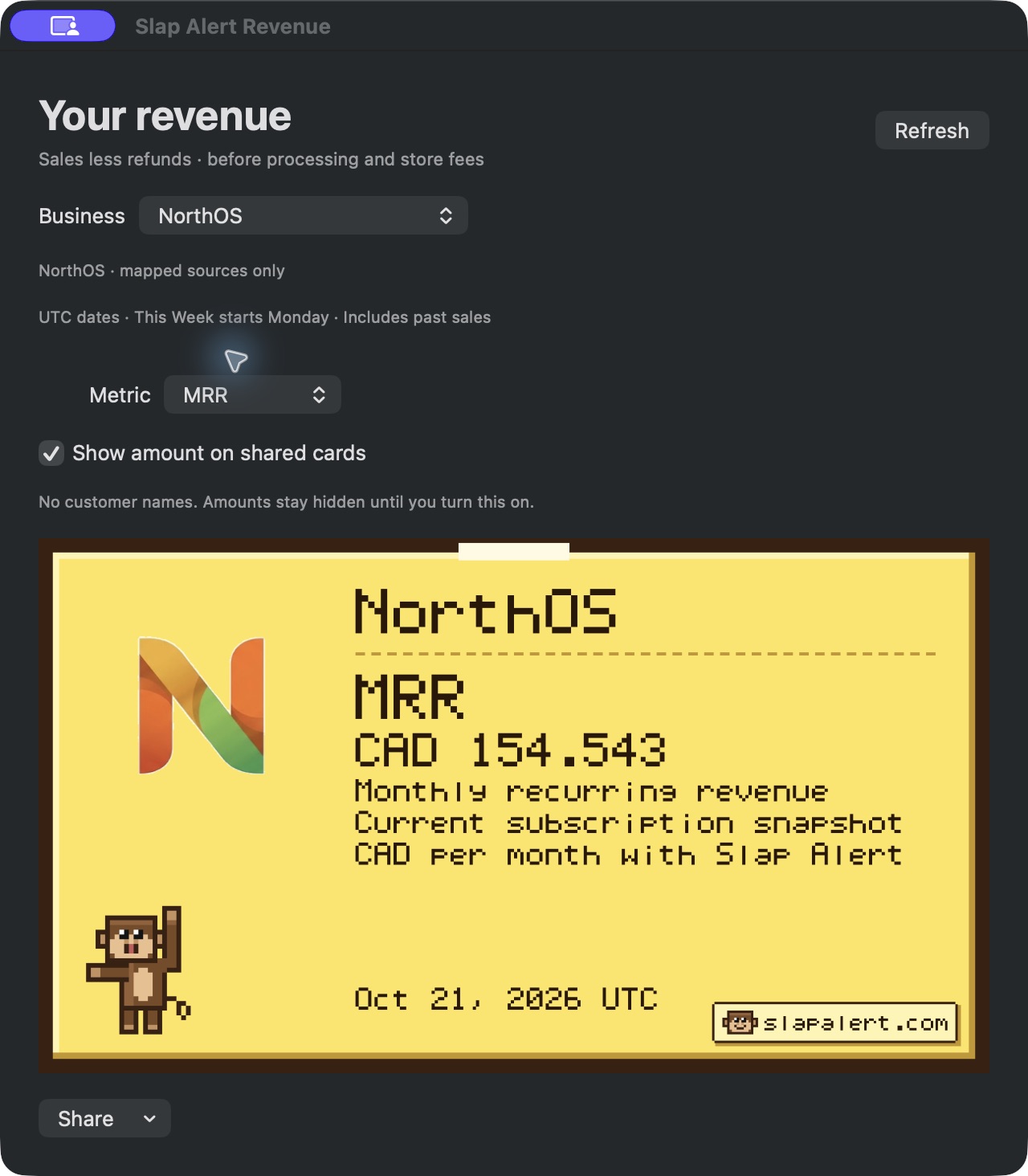
- Revenue window. Open Revenue… from the monkey's menu for Today, This Week and All Time, plus your current MRR and ARR. These are numbers, not charts: sales minus refunds, before fees. You can connect several Stripe accounts.
- Win cards. Your first sale, the $100, $1,000 and $10,000 clubs and a new best day each get a card.
- Sharing. Any real sale or renewal note has a Share button: Copy image, Save image or Post to X. Post to X shows you the exact card first and opens an X draft. You write the caption, and nothing posts on its own. Amounts are hidden until you turn them on, and customer names never appear.
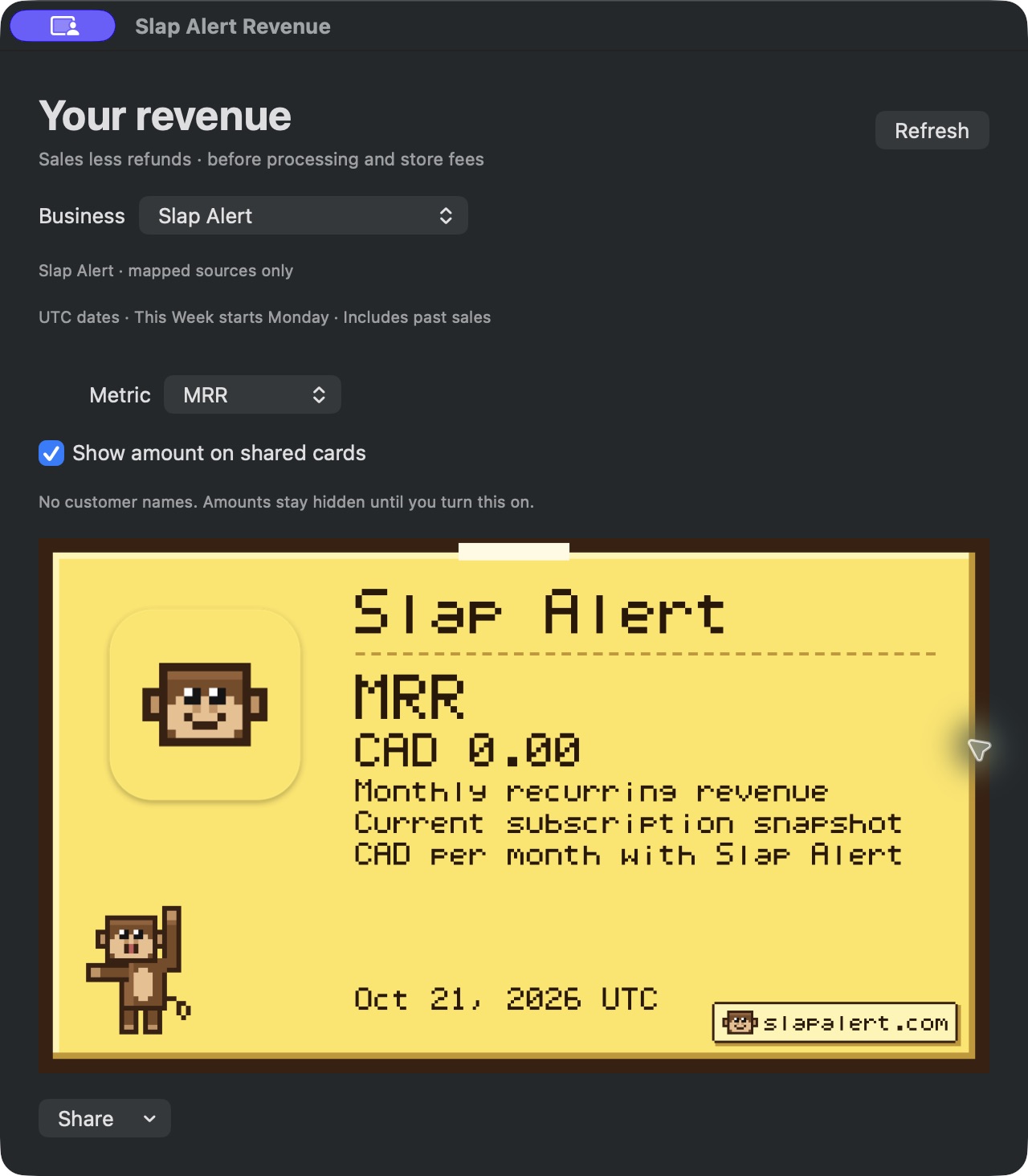
The Revenue window with MRR selected. Slap Alert is a one-time purchase, so its own MRR is zero. This shows the feature, not our revenue.
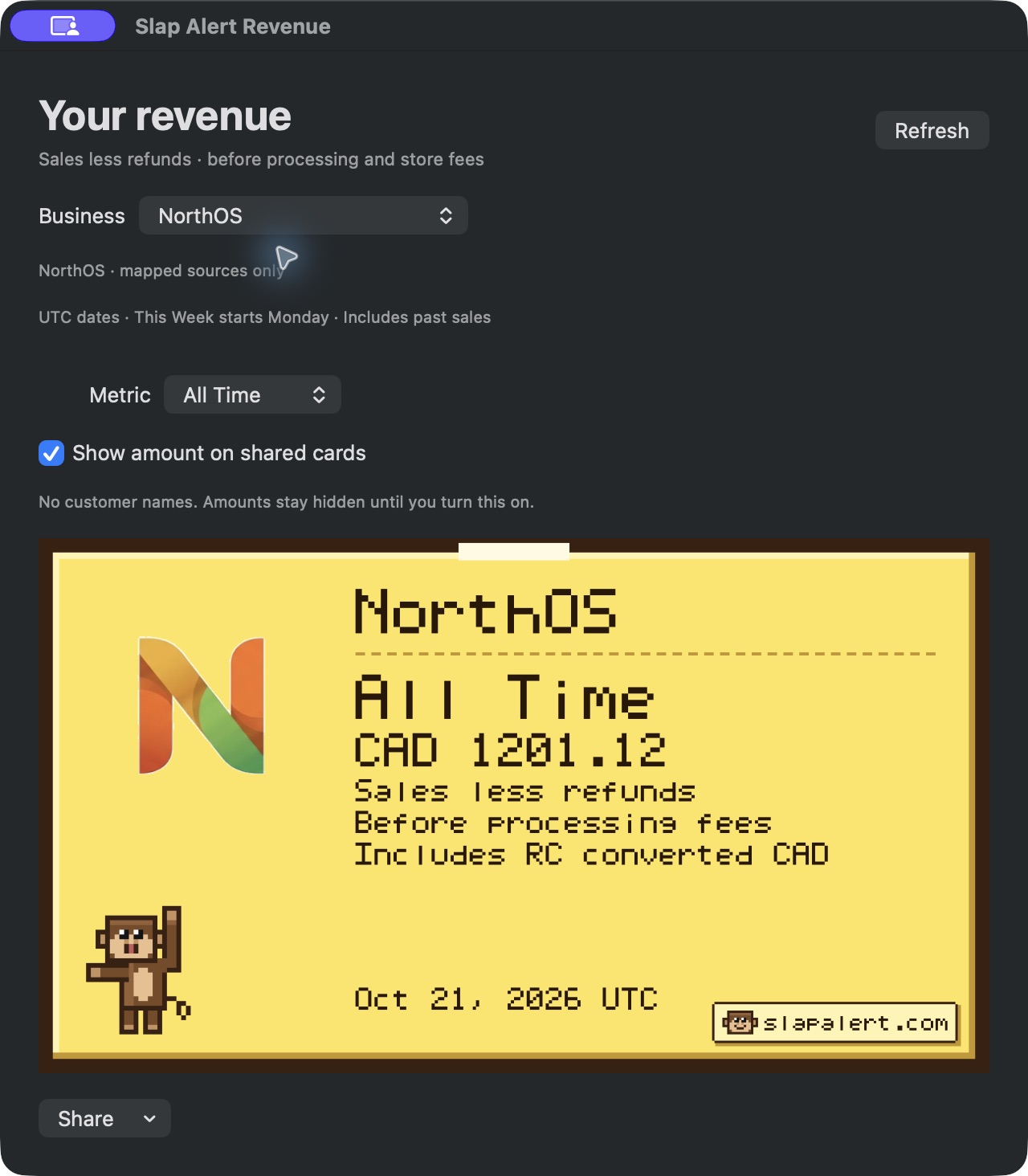
Real screenshots from the founder's other business, NorthOS: the All Time total, above, and the MRR card, below.
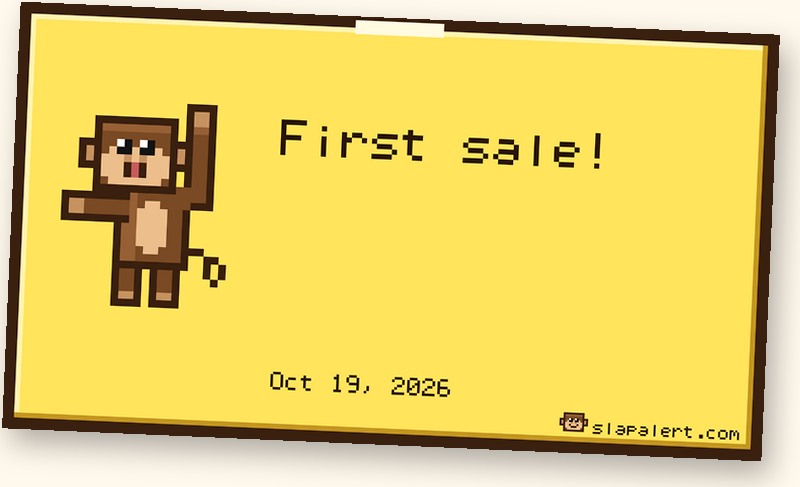
A first-sale win card from the app. The amount is hidden by default.
Questions
Does Stripe have a notification sound?
Not on your computer. The web Dashboard is silent. The Stripe Dashboard app for iPhone and Android sends push notifications for new payments, which use your phone's normal notification sound. For a sound on your Mac, you need something watching your Stripe account, like a webhook-fed browser tab or a menu-bar app.
Can I change the Stripe notification sound?
Stripe doesn't document a sound setting of its own. On a Mac, the sound comes from the tool you use. ChaChing Alerts lets you pick a sound and its volume. Slap Alert gives you Slap, Pop or Off.
How do I get a Stripe payment received notification on my Mac?
Keep a webhook-fed tab like ChaChing Alerts open, build your own webhook, or install a menu-bar app. With Slap Alert, you paste a restricted read-only key and each payment arrives as a note with a sound, checked every 30 seconds.
Do I need to set up a webhook or write code to hear Stripe sales?
Not with Slap Alert. A restricted key with Charges: Read and Invoices: Read is enough. Webhooks are only needed for the browser-tab and do-it-yourself routes.
Will it work while I'm in a full-screen app or on another Space?
Yes. The note shows on every Space and over full-screen apps, and it never takes focus.
Can I keep it quiet during calls?
Set the sound to Off or turn down your Mac's volume. There's no separate volume control. You can also click the monkey to hide him (he still drops down for each sale) or set him to Small.
Does it work with Stripe test mode?
Yes. Test-mode payments arrive as a grey note stamped TEST, so you can try it without a real sale.
Will I get a sound when someone starts a free trial or cancels?
No. A Stripe trial with no charge doesn't slap, and there are no cancellation alerts. You do get quiet notes for refunds and failed payments.
Is Slap Alert on the Mac App Store?
Not yet. Download it from slapalert.com. It needs macOS 14 Sonoma or later and runs on Apple silicon and Intel Macs.
Let him slap your next sale
If you sell on Stripe and work on a Mac, this is the shortest path we know from "silent Dashboard" to hearing every payment: no tab, no server, one read-only key.
Download the free 7-day trial or buy Slap Alert.
One-time purchase, US$19. 7-day free trial, full refund within 14 days. One licence covers all your own Macs. Tax is added at checkout where applicable. Launch price US$12 for the first 50 buyers, through Mon Nov 2, 2026, 11:59 PM ET.